How to Use Augmented Reality on the VeVe App
How to Use Augmented Reality on the VeVe App
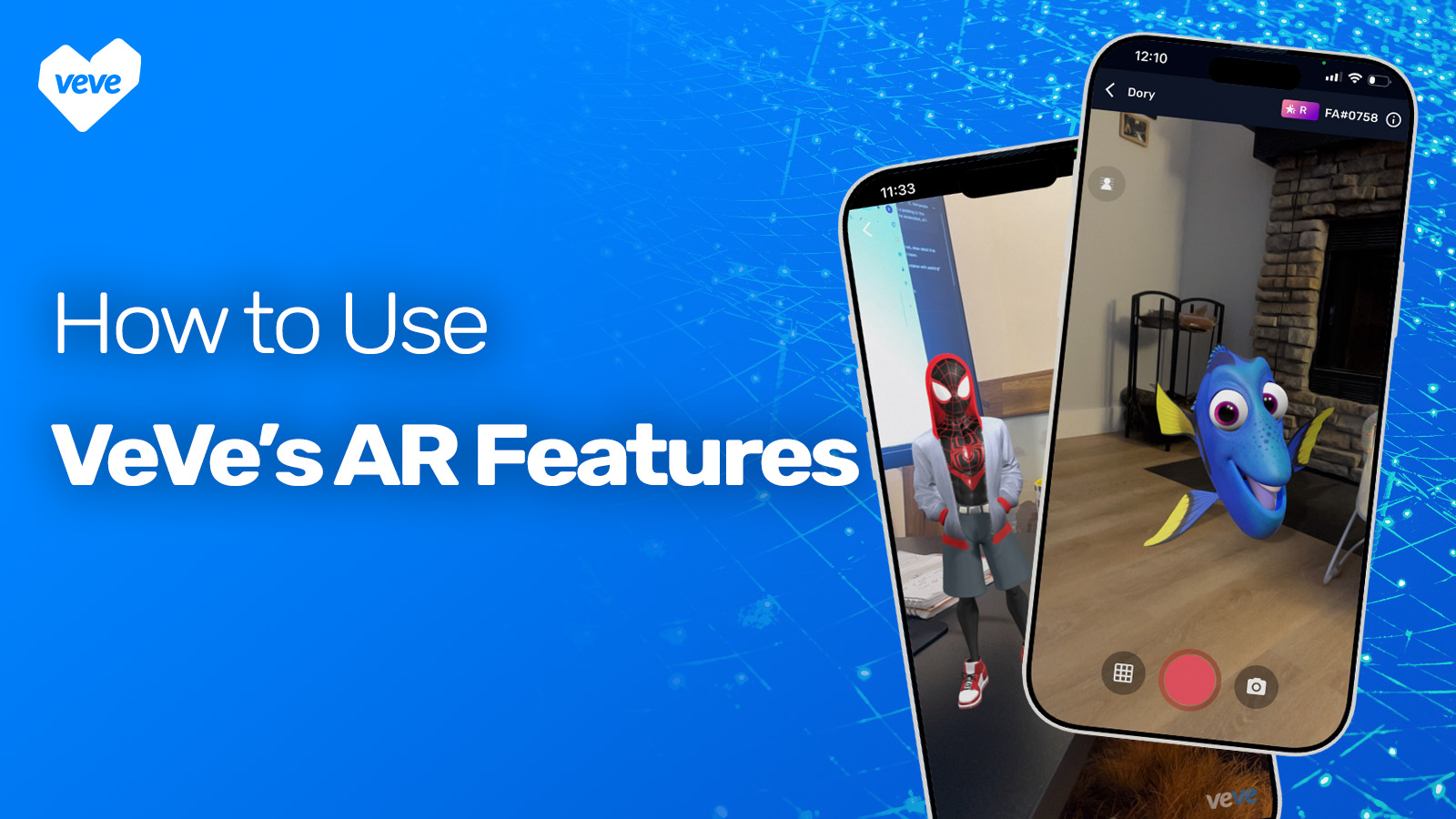
Imagine placing your favorite characters from your favorite movies, comics, or franchises right into your own space. With augmented reality on the VeVe app, your digital collectibles can appear in your real-world environment through your phone’s camera, allowing you to view them at full scale, walk around them, and capture the moment as if they were physically there.
This guide will walk you through exactly how to use augmented reality on the VeVe app. You’ll learn how to activate AR, take photos, record videos, and create scenes with multiple collectibles. Whether you are new to VeVe or exploring AR for the first time, this article will help you get the most out of the experience.
Bringing Your Digital Collectibles Into the Real World
You scan the room and a character from your favorite movie appears at full scale, standing just a few feet away as if they stepped into your space. You circle around them, adjust the angle, and capture the shot. Another time, you gather your kids together, place their favorite superhero beside them, and snap a photo. When they look at the picture later, they freeze. It looks real.
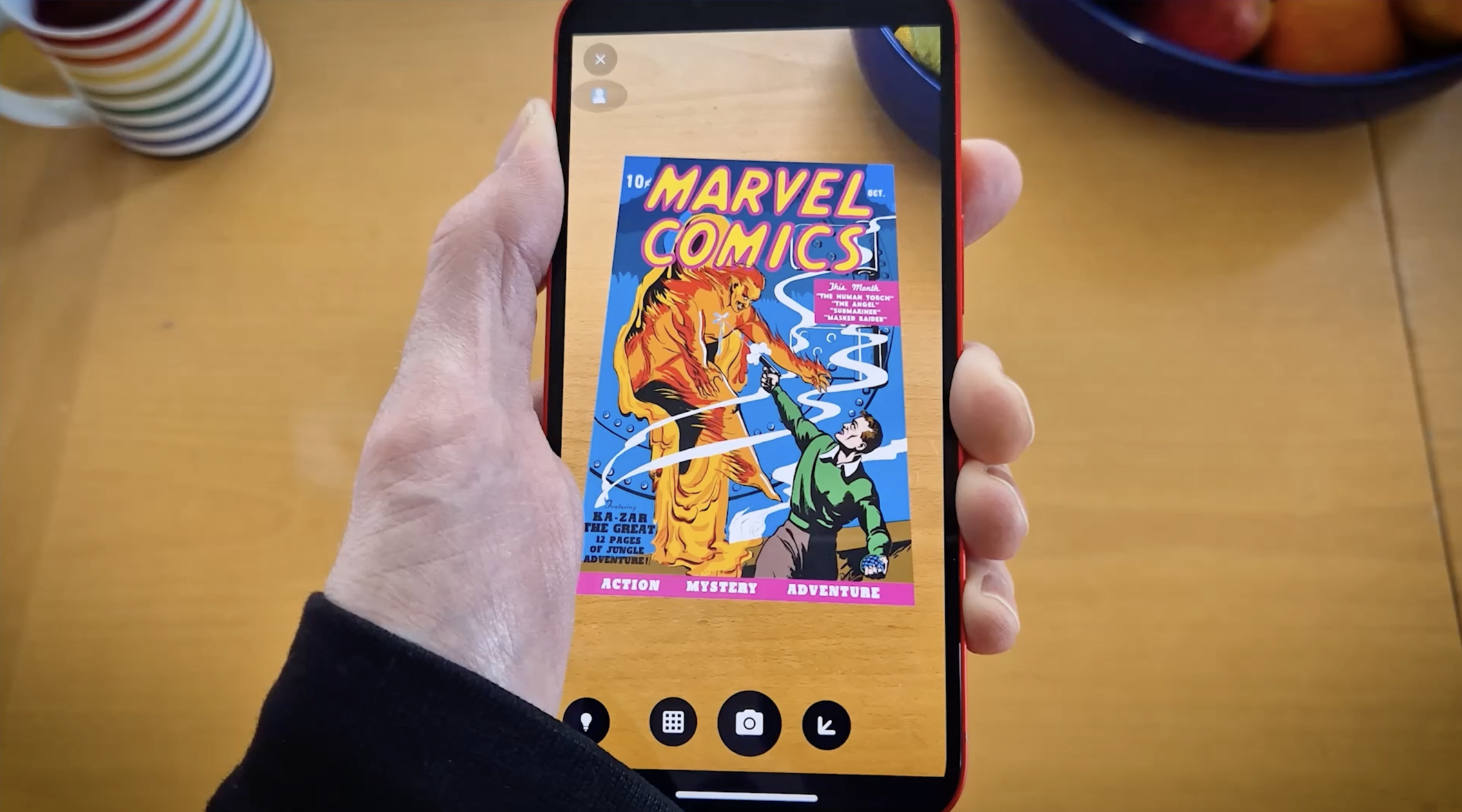
On a different day, you set a comic cover on the table and expand it beyond the page, studying the artwork at full scale as if the panel has come to life. Each scene feels separate, but the effect is the same. What once lived only on a screen now exists inside your world.
What Exactly Is Augmented Reality on VeVe?
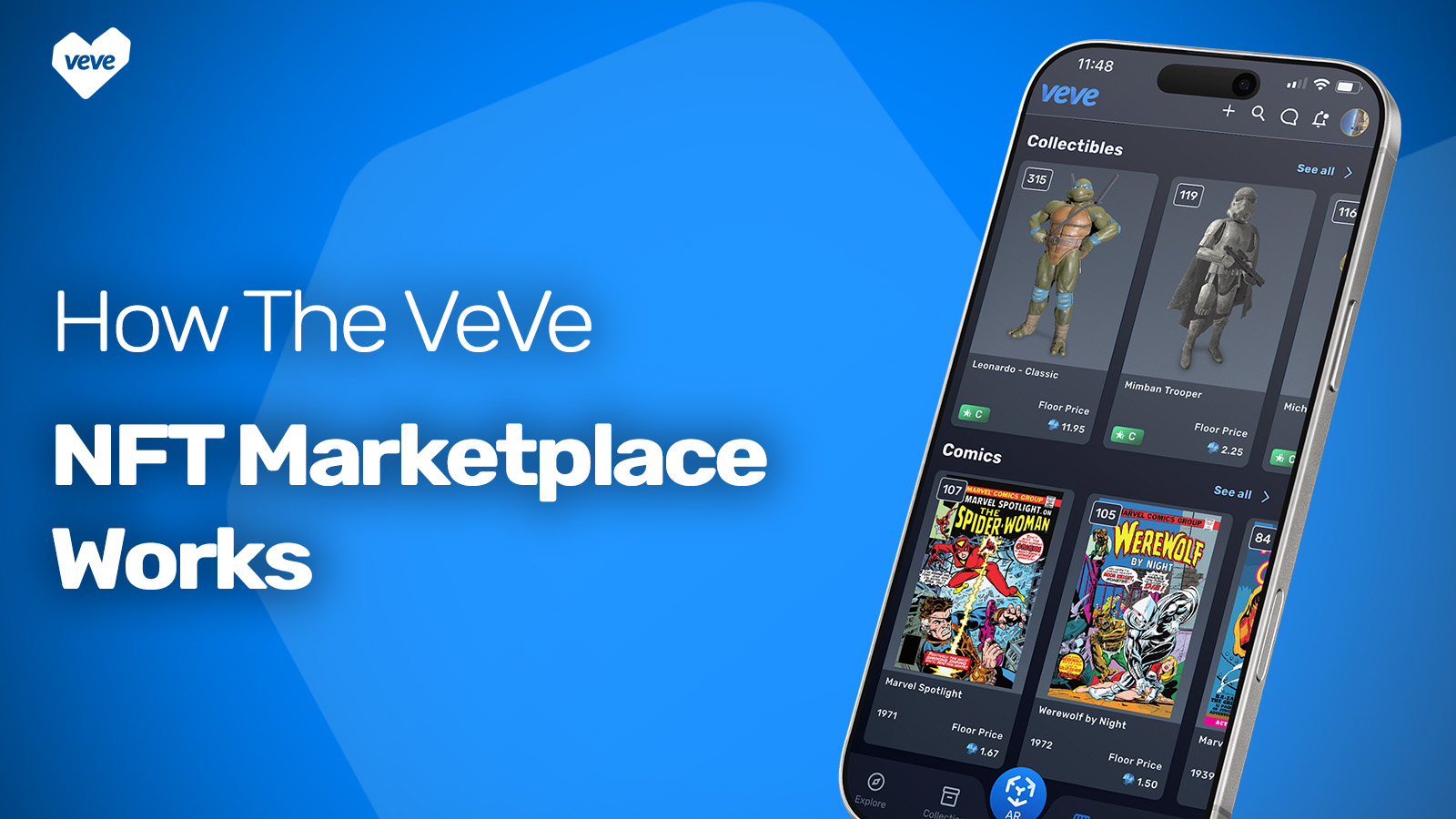
VeVe is a global digital collectibles platform where users can collect limited edition releases from the world’s largest brands, including Disney, Marvel, Star Wars, DC, 20th Century Studios, Lamborghini, and many more. Inside the VeVe app, these collectibles are fully rendered 3D digital assets designed with attention to scale, texture, and detail.
Augmented reality on VeVe allows those 3D assets to move beyond a standard viewing mode and into your physical environment. Using your device’s camera and motion sensors, our AR app detects real-world surfaces and anchors your collectible in place, maintaining realistic scale and perspective as you move.
How to Get Started with VeVe’s AR Feature
Getting started with AR on VeVe is easy and only takes a minute to set up. All you need is a digital collectible in your collection and a space where you’d like to place it. Pick a character or piece you’re excited about, then move to a well-lit area with a clear surface like a floor or table. Once you’re ready, you can activate AR and bring it into your environment.
How to Take AR Photos on VeVe
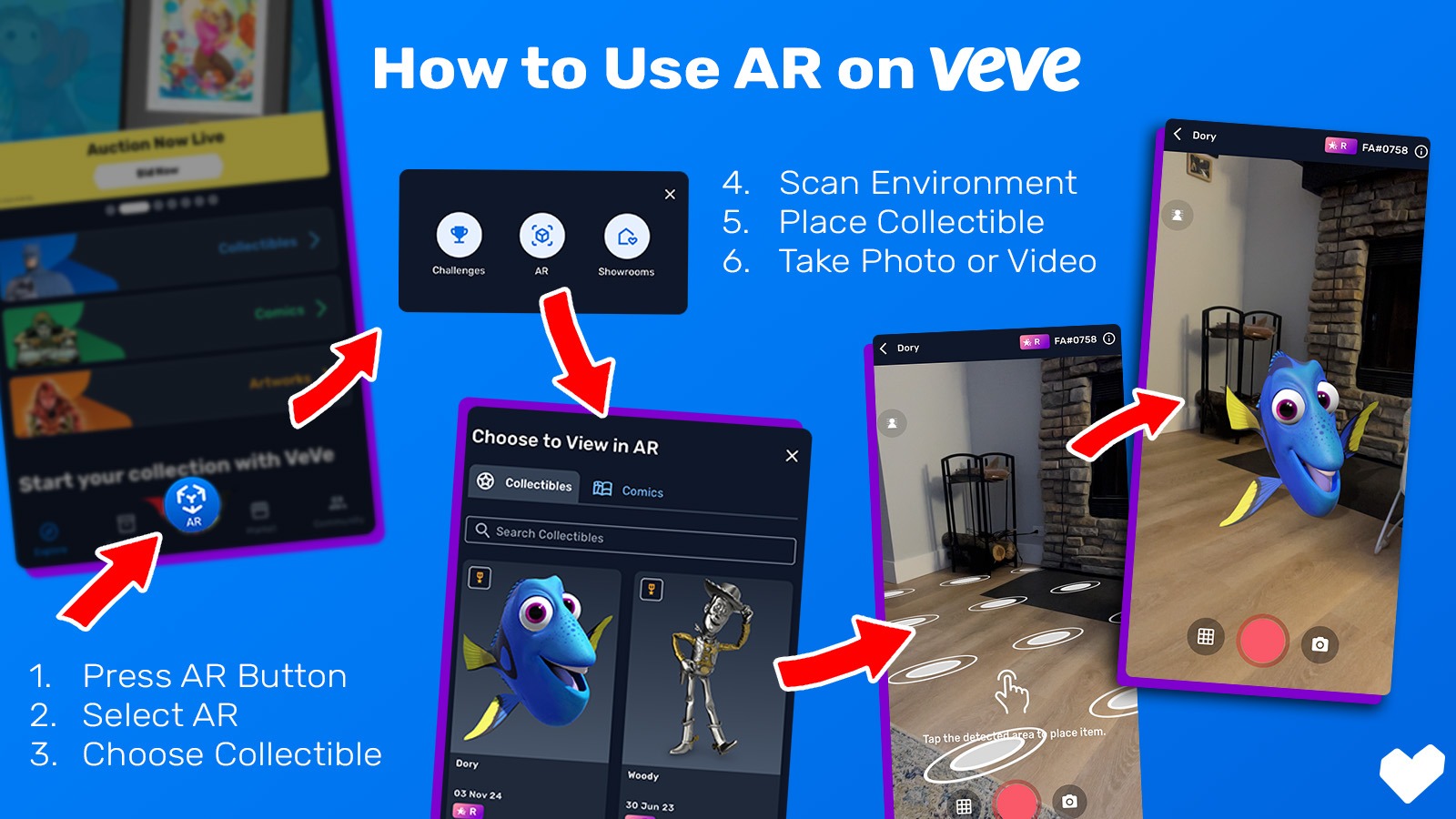
- Press the AR Button
Open the VeVe app and tap the AR icon at the bottom of the screen. - Select AR Mode
Choose the AR option from the menu. - Choose Your Collectible
Browse your collection and select the 3D collectible you want to view in AR. - Scan Your Environment
Slowly move your device to scan the area. The app will detect flat surfaces where your collectible can be placed. - Place Your Collectible
Tap the detected surface to anchor your collectible in the space. You can resize, rotate, or reposition it until it looks just right. - Take the Photo
Once everything is positioned, tap the camera button to snap your AR photo. The image can now be saved to your device and is ready to be shared.
How to Record AR Videos on VeVe
- Press the AR Button
Open the VeVe app and tap the AR icon at the bottom of the screen. - Select AR Mode
Choose the AR option from the menu. - Choose Your Collectible
Browse your collection and select the 3D collectible you want to view in AR. - Scan Your Environment
Slowly move your device to scan the area. The app will detect flat surfaces where your collectible can be placed. - Place Your Collectible
Tap the detected surface to anchor your collectible in the space. You can resize, rotate, or reposition it until it looks just right. - Take the Video
Once everything is positioned, tap the record button to start recording. The image can now be saved to your device and is ready to be shared.
How to Create Scenes With Multiple Collectibles
Creating scenes with multiple collectibles in VeVe lets you build immersive setups and tell more creative stories using AR. By using Showrooms, you can place, arrange, and capture multiple collectibles in a single experience.
- Tap the AR button in the VeVe app and select Showrooms.
- Press Add New Showroom and choose Create Empty Space.
- Once the showroom is created, select the empty showroom and wait for it to load.
- Start adding collectibles by tapping the plus (+) button and placing each item where you want it.
- When your scene is ready, tap the AR button, scan your environment, and place the full scene.
- Take a photo or video of your setup and share it with friends or on social media.
AR Ideas From the VeVe Community
One of the most exciting parts of AR on VeVe is seeing how creative the community has become. Collectors are not just placing characters in a room and taking a quick photo. They are building moments around them.
During Halloween, users have created themed photos with their friends in costume standing beside their favorite heroes and villains. Others have brought characters to amusement parks, snapping photos as if they spent the day together. At birthday parties, parents have surprised their children by placing a beloved character right next to the cake before capturing the reaction in a photo or video.
Some families even turn AR into a game. A collectible is placed somewhere in the house, and the device is handed over for a game of hide and seek, with kids scanning the room to find where it is anchored. Others act alongside animated collectibles, recording videos where they move, pose, or react as if they are sharing the same scene.
Collectors are also getting creative beyond the app. Many upload their AR photos and use AI tools to animate them in new ways, adding motion effects, stylized edits, or storytelling layers that push the experience even further.
Defining the Next Generation of Immersive Experiences
What starts as a simple AR placement often turns into something much more personal. The VeVe community continues to find new ways to turn immersive technology into shared memories, creative projects, and moments that feel uniquely their own.
As augmented reality technology continues to evolve, experiences like these will only become more interactive, more social, and more immersive. VeVe is building toward a future where digital ownership is not confined to a screen, but integrated into everyday life in meaningful ways. The next generation of immersive experiences is already taking shape, and it begins with what you create. Sign up for the VeVe app today and start exploring augmented reality for yourself.